
Time-Saving Freelancer Tools: A Practical Guide
A clear buyer's guide for freelancers exploring timing tools. Learn how these resources help manage workloads, deadlines, and billing with concrete steps and sm

Freelancers need reliable tools to track hours, bill accurately, and stay compliant. This guide explains practical options for time-tracking and invoicing, with concrete steps to choose what fits your work. You’ll find plain examples and clear criteria to compare offerings without hype.
A quick look at core features helps you avoid overpaying or missing important capabilities. We cover practicality over popularity, focusing on what actually saves time and reduces errors in real work scenarios.
You’ll walk away with a decision framework and a short checklist you can apply to any platform. Use the steps to test trial plans, verify export options, and ensure the tool complements your learning or teaching activities if you supervise projects.
- This guide shows how to choose time-tracking tools tailored to freelancers and education projects.
- It covers basics, practical usage, and common mistakes to avoid in teaching contexts.
- Use the provided framework to test tools, compare exports, and align time data with learning goals.
Basics of time tracking for freelancers
Why track hours accurately
Accurate time tracking is the backbone of fair billing and project understanding. It helps you defend invoices and plan workload across weeks. You will see deviations in project timelines when you measure time from start to finish. Avukatlar için Süre Hesaplama Araçları
- Log start and end times consistently
- Record pauses and interruptions
- Review weekly totals before sending invoices
Choosing a tool that fits your workflow
Pick a tool that mirrors your process, not the most powerful one. If you teach or supervise, select software that exports to learning platforms or student reports. Test whether it integrates with your accounting or learning management system.
Consider whether you need mobile entry, offline mode, or project-based tracking. Small projects benefit from simple timers, while longer courses require deeper reporting and templates.
Plan a short trial to confirm ease of use and minimal friction in your daily routine.
- Prefer lightweight timers for quick entries
- Ensure export formats align with your records
- Check if it supports project templates or course modules
How time tools assist learning projects

Tracking for student projects
When you assign tasks, time tools help students pace themselves and submit on time. Instructors can review activity logs to understand where students face bottlenecks. The data supports fair grading and timely feedback. Çankaya Avukat
- Define clear milestones at project start.
- Lock in weekly check-ins to keep momentum.
Use case: a 6-week capstone with weekly milestones benefits from weekly time summaries and milestone alerts.
This approach teaches students to manage their own learning rhythm.
- Set milestone reminders
- Review time logs for pacing
- Export progress reports for portfolios
Assessing accuracy and work quality
Time data alone doesn’t prove value; it should be paired with outputs. Compare hours logged with deliverables and feedback cycles. If a student shows high hours but poor results, investigate efficiency rather than time spent.
Use a simple rubric to map hours to outcomes, which keeps evaluation transparent.
Regular audits of time entries help maintain trust with students and clients.
- Cross-check hours with deliverables
- Look for patterns of overrun or underutilization
- Encourage honest time logging without penalties
Options for different budgets
Free versus paid time trackers
Free tools may cover basics but often lack advanced reporting or team features. Paid options usually offer better exports and controls essential for teaching projects or client work. Weigh the long-term value against upfront cost.
If you’re starting out, try a free plan with one project to test your workflow before upgrading.
Remember: the best tool is the one you actually use.
- Start with a single-project free plan
- Test reporting capabilities
- Check if upgrades unlock needed features
| Feature | Free plan suitability | Paid plan strengths |
|---|---|---|
| Ease of use | Good for beginners | Better for heavy projects and reporting |
| Export options | Limited | Extensive, with LMS compatibility |
| Reliability | Basic | Higher availability and support |
In-house vs. external platforms
Some educators prefer platforms they already use in learning contexts. External tools may offer broader support or compliance features. Compare how each option fits your institution’s requirements and your personal workflow.
Think about data privacy, access control, and the ease of sharing reports with students or supervisors.
Choose the option that minimizes manual work while maximizing reliability.
- Assess data export options
- Check permission settings
- Consider single sign-on compatibility
Revisit your tool choice after a trial period to ensure it remains a fit.
Pitfalls to avoid

Over-engineering the tool
Adding too many features can slow you down. Start with essential time capture, basic reporting, and simple exports. Complexity often reduces daily use and creates gaps in records.
Remove unused features to keep the setup clean and reliable.
Revisit your tool choice after a trial period to ensure it remains a fit.
- Hide unused features
- Keep a minimal workflow
- Periodically reassess needs
Inaccurate time entry habits
Relying on memory leads to fuzzy logs. Develop a habit of logging in real time or immediately after completing a task. This improves invoice accuracy and learning analytics.
Set a standard pace: pause during breaks and resume without skipping. Reconcile logs weekly to catch drift.
If you notice repeated gaps, adjust your workflow or tool settings to prompt entries.
- Log promptly after task
- Regularly reconcile logs
- Enable reminders or prompts
How to compare providers
Feature comparison framework
Start with a feature matrix that matches your learning projects to track. Look for automatic time capture, reminders, and project tagging that aligns with study tasks. Compare export formats and cloud sync so your data can be reviewed alongside course progress.
Consider user reviews and trial periods to test ease of use and reliability. Verify that the interface supports both desktop and mobile work, since study sessions happen anywhere. Finally, note integration with learning platforms or note-taking apps you already use.
A practical comparison saves time in the long run by reducing setup friction and confusion during busy study weeks. Use a checklist to rate each tool on accuracy, accessibility, and data privacy. If a tool feels clunky, deprioritize it even if it has advanced features.
- Automatic capture works even when focus shifts to reading
- Clear categorization helps separate study vs admin time
- Reliable offline mode reduces data gaps
- Strong export options support accountability
Pricing and value for learners
Budget matters for students and part-time learners, but value goes beyond monthly cost. Focus on what you gain in productivity, not just price. A slightly pricier option may reduce wasted time if it automates routine tasks.
Check whether the price scales with features you actually use, not with unused add-ons. Look for student discounts or educational licenses that actually apply to your situation.
Balance cost against potential time saved and the quality of insights gained from your study sessions. A tool that helps you stay consistent can pay for itself quickly.
- Student discounts if available
- No hidden fees or minimum-term clauses
- Free trials or money-back guarantees
- Clear renewal terms and cancellation policy
Special considerations for tutors

Scheduling and client work
Tutors should prefer tools that handle multiple timers and client projects without mixing them. A single dashboard to switch between learners keeps administrative tasks clear. Scheduling accuracy reduces disputes about billed time.
Look for calendar integrations to avoid double bookings and to align deadlines with coursework. Time logs should show exact start and stop times, with notes for context.
Accurate invoices depend on clean time entries and a readable history. Make sure your tool supports currency and tax notes if applicable.
- Multiple timers for different learners
- Calendar sync and reminders
- Clear time stamps and notes on logs
- Invoice-friendly exports
Data privacy for learners
Protecting student data is essential. Choose providers with clear data handling policies and minimal data collection beyond what is necessary for time tracking. Understand where data is stored and who can access it.
Review consent options for storing notes or recordings tied to sessions. If you share sensitive course material, ensure your tool supports redaction or secure notes.
Maintain a routine to delete stale data and periodically audit permissions. This protects both your reputation and your students’ privacy.
- Clear data retention policies
- Access controls and two-factor options
- Data encryption in transit and at rest
- Consent management for session notes
Legal and ethical notes
Compliance basics for educators
Understand the common legal expectations around time-tracking data in education contexts. Do not clock hours that don’t correspond to actual tutoring or coursework. Align records with applicable student privacy laws and school policies.
Keep transparent records of what counts as time versus content delivery, and avoid inflating hours. Students rely on accurate estimates when planning study time or seeking refunds.
Regularly review your practice against policies to prevent disputes and maintain trust with learners.
- Accurate time entries
- Respect for student privacy
- Policy-aligned record keeping
- Transparent invoicing practices
Copyright and content reuse
When using third-party materials, ensure you have the rights to reproduce any content in logs or notes. Avoid sharing course content beyond what’s allowed by licenses. Document sources when you reference materials in student sessions.
If your platform stores notes or summaries, be mindful of proprietary content. Use paraphrase and attribution where necessary to stay compliant.
Respect the intellectual property of course creators and institutions when compiling time-related reports.
- License-aware note-taking
- Proper attribution practices
- Respect for course materials
- No sharing of restricted content
Final buying checklist
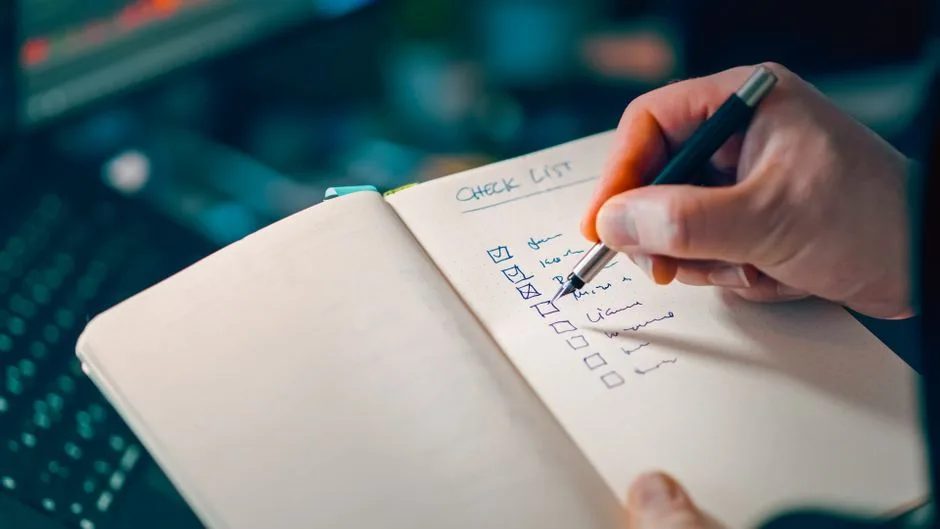
Must-have features
List essential features first: reliable timers, easy invoicing, and clear exports. Ensure the tool supports both web and mobile access because you study in different locations.
- ☐ Reliable time capture
- ☐ Easy export options
- ☐ Cross-device access
- ☐ Privacy controls and data security
Validate that the interface allows rapid logging during or after sessions without interrupting study flow.
- Timers that don’t lose data
- Export formats (CSV, PDF)
- Mobile apps with offline mode
- Clear, unambiguous invoices
Implementation steps
Plan a short onboarding period to set up your accounts and import existing project data. Schedule a one-week trial during a typical study week to test real scenarios. Review your logs after this period to identify gaps or mislabeling.
Create a simple rule set for naming projects and tagging sessions to keep records tidy. Train collaborators if you work with mentors or peers to maintain consistency.
Document workflows for ongoing use, including how to handle corrections and overrides.
- Set up a starter project
- Run a one-week pilot
- Define naming conventions
- Create a how-to guide for peers
Frequently asked questions
Can I use time-tracking tools for free while studying?Yes. Many tools offer free tiers with essential features suitable for students and freelancers. Start with a trial to judge whether the interface and logs match your study habits, then decide if an upgrade is needed for more advanced reporting.
Will these tools slow down my workflow during sessions?Good tools streamline work when configured well. Look for automatic timers, quick logging, and one-click exports. If setup feels heavy, dedicate a short onboarding period to prevent friction in busy study weeks.
How do I protect student data while using these tools?Choose providers with clear privacy policies and strong access controls. Avoid sharing sensitive notes publicly, and use encryption and local backups where available. Regularly review who can access your data.
What if my tutoring platform has its own timer?A separate time-tracking tool should integrate smoothly without duplicating logs. Use it for broader project reporting and keep tutoring platform timers for session billing only, ensuring consistency across records.
Moving forward with confidence
With the right time-tracking setup, you gain clarity over how study time converts into progress. You’ll see where bursts of focus pay off and where to adjust your schedule for better learning outcomes.
Take a practical step now: run a one-week trial with a chosen provider, compare the export formats, and document how it fits your workflow. That concrete data makes future decisions straightforward and repeatable.
For a deeper understanding of this topic, Understanding Bağcılar facilities: a practical guide offers valuable insights worth exploring.
Readers interested in this subject may also want to explore Education readers guide: practical steps for for additional perspectives.
If you enjoyed this article, we recommend checking out Bağcılar Gençlik Etkinlikleri: Eğitim İçin Nasıl for further reading.

Add FreeLancer Jobs as a preferred source on Google


